Google tools lesson
Lesson topic: Google Tools 5
Course: IDT Unit 3 – Digital Design
IT-IDT-5: Understand, communicate, and adapt to a digital world.
IT-IDT-8: Create and organize webpages through the use of a variety of web programming design tools.
IT-IDT-9: Design, develop, test and implement programs using visual programming.
ELACC9-10SL2: Integrate multiple sources of information presented in diverse media or formats (e.g., visually, quantitatively, orally) evaluating the credibility and accuracy of each source.
ISTE–S-1: Creativity and Innovation
ISTE-S-4: Critical thinking, problem solving and decision making
ISTE-S-6: Technology operations and concepts
Essential Question: What are the Google tools?
AP#1: What are some everyday tools that mirror MS products?
AP#2: What are some ways to use Google tools to protect my privacy?
AP#3: What are some ways to use Google Earth and Google GPS tools?
Activating Strategy:Students are to answer two questions – What do you know about the topic (look at essential question) and what questions do you have? Fill out Google form and submit - http://tinyurl.com/ne9bu73 – Data collected and used in teaching.
Key Vocabulary to preview:
Key Vocabulary to preview:
- Google Tools
- Google Docs
- Google Voice
- Google Maps
- latitude
- longitude
- autosave
- share
Teaching Strategies:Critical thinking, innovation, communication, collaboration. Activating questions and summarizing are used for data collection to determine teaching in this and future lessons.
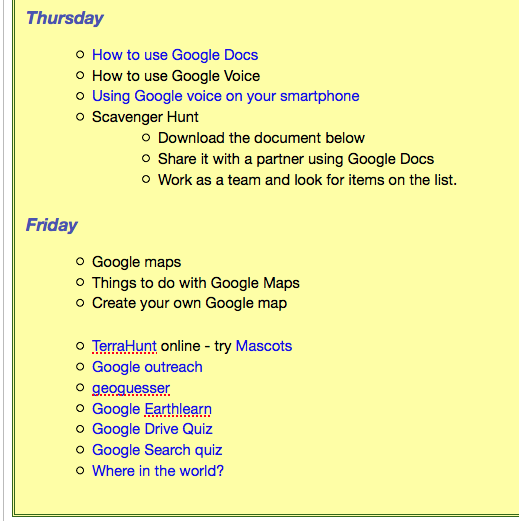
Teach: Show the students what Google docs are and how to create them. Show the students how to share
AP #1(DOK1):Students are to set up an Google Account (if they do not have one) and create a Google doc. Following the directions share the doc with the teacher.
Teach : Show the students how to set up Google voice. Show them the APP they can download and talk about it's pros and cons.
AP #2(DOK2):Students will create a google voice number and then decide who they want to put on the contact lists.
Teach : Show the students Google maps and how to create their own map.
AP #3(DOK3 - 4):Students will design and create their own map. They will do the Google docs exercise and then save that map and share it with the teacher.
Assignment: Students will create a google account and use it to create a Voice and a map of places they have been in their lives.
Summarizing:Students are to answer questions on what they learned and what they still have questions on as well as answering the lesson essential question. Fill out Google form and submit - http://tinyurl.com/nonze7k – Data collected and used in teaching.
Differentiation:Although each student is required to adhere to the same project deadline, all projects are tailored to each student's strengths. All students will create a Goole map of their own places in their lives, they will create their own contact lists and google docs.
Assessment:
Formative
- Create a Google account
- Create a Google Voice
- Create a Google Map
Summative
- Create a google map and share it with teacher.
Resources:
- Google.com
- Google.maps.com
- Google.voice.com
- Google Earth
Moodle:


Comments
Post a Comment