Posts

Showing posts from January, 2019

Google tools lesson

Image
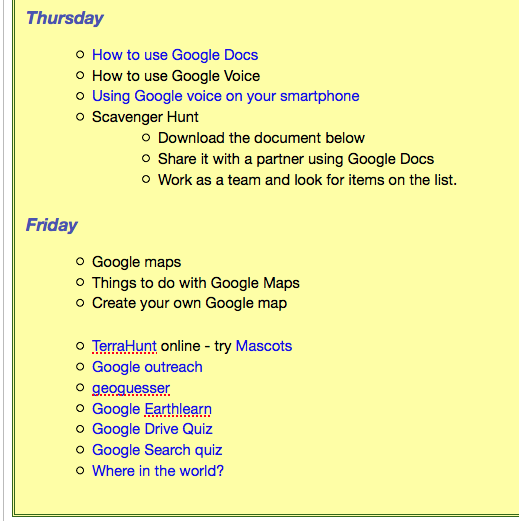
Lesson topic: Google Tools     5 Course: IDT Unit 3 – Digital Design IT-IDT-5: Understand, communicate, and adapt to a digital world. IT-IDT-8: Create and organize webpages through the use of a variety of web programming design tools. IT-IDT-9:  Design, develop, test and implement programs using visual programming. ELACC9-10SL2: Integrate multiple sources of information presented in diverse media or formats (e.g., visually, quantitatively, orally) evaluating the credibility and accuracy of each source. ISTE–S-1: Creativity and Innovation ISTE-S-4: Critical thinking, problem solving and decision making ISTE-S-6: Technology operations and concepts Essential Question: What are the Google tools? AP#1: What are some everyday tools that mirror MS products? AP#2: What are some ways to use Google tools to protect my privacy? AP#3: What are some ways to use Google Earth and Google GPS tools? Activating Strategy : Students are to answer two questi...
Create Reflection

Image
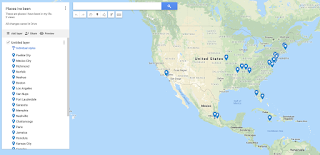
Create Reflection How has the Create module prepared you to meet each standard listed above? Link to or provide specific examples from your work in Create. Standard B:  The online teacher understands and is able to use a range of technologies, both existing and emerging, that effectively support student learning and engagement in the online environment.  Creating lessons for online classes can encompass a variety of tools. A teacher must outline what is important for each topic in his/her curriculum and then decide on the tool that will do the job. For instance in my Google Tools lesson I used Google myMaps, Calendar. Google voice, Youtube and Docs, Sheets and slides.  Standard C: The online teacher plans, designs, and incorporates strategies to encourage active learning, application, interaction, participation, and collaboration in the online environment. myMaps in Google maps, Spark presentation tools, Meta-chart. When using onli...

Create 4 - Aggregating Lesson Material

Image
Create 4 - Aggregating Lesson Material Post in your blog :   Links to two tools used to aggregate and present learning materials. Youtube analytics - This tool tells the creator  how many times a video is Answer in your blog : Thinking about instructional design, how does each tool benefit the learner by aggregating and presenting material in a cohesive manner?  Youtube analytics - This tool tells the creator  how many times a video is  being used when and how long the videos are being used for. Khan academy classroom - coding course  this keeps track of what lessons have been done, how much time was spent. When combine with the given timeline we can adjust the pacing and help students with difficult units. Are there drawbacks to the tools you researched? You do have to allow students to use YouTube. This can pose several problems. Students going to youTube can become distracted. The videos must be made by unlisted protection. Khan acade...

Create 4 - Building Portable Learning Objects

Image
Create 4 - Building Portable Learning Objects Create : Using your lesson topic, build two high quality, reusable learning objects. Artifact : Link to the two high quality, reusable learning objects build by you. Post in your blog : The two links to the learning objects you created. https://b.socrative.com/teacher/#import-quiz/38072436 https://docs.google.com/forms/d/1UMyjwQU5J3D3saxfWSAgHkVrKuSoLEa0NJLQD23ZKzA/closedform Here is a Spark presentation https://spark.adobe.com/page/oLmi6scf7fZ1k/ Answer in your blog : What is the intended use of your learning objects? Quick check at the end of a lesson to see if students mastered content. Google forms - used as a starter and ender for each class for data collection Spark presentation - to present a lesson, let students know what the assignment is. How might the objects be used in an online or blended classroom? Socrative  - collected data to see what I had to review the next day or before moving on to ...

Create 4 - Learning Object Authoring Tools

Image
Create 4 - Learning Object Authoring Tools Post in your blog : Two learning object authoring tools and their links. http://www.what2learn.com/ - what to learn http://www.classtools.net/ - a group of learning authoring tools for the educator Answer in your blog : How might each tool be used in an online classroom? What to learn - creates learning games for students. class tools - a set of collected tools for teachers including QR treasure hunt code reader, Social network site, SMS generator, connect four quiz generator and a ton of other tools. What features should an online teacher look for in a learning object tool? Ease of use - quick learning curve, need to learn and then use quickly Timeliness - does this take a lot of time Edibility - Quickly edit existing tools you have created for curriculum changes Online presence - you should be able to get there from a variety of Students find attractive Students find challenging but not too Students can be social and...

Create 3 - Locating Resources

Create 3 - Locating Resources Create 3 - Locating Resources Locate : One online image designated as an open educational resource. https://www.flickr.com/photos/hackny/6886981066 [1] One online text object designated as an open educational resource. https://csfirst.withgoogle.com/s/en/discovery-teachers [2] One online video designated as an open educational resource. http://bit.ly/2D8pUMM [3] Post in your blog : The three objects (including links) to the resources located above and give proper citations. [1] "Spring 2012 Student Hackathon Coding | Photo by @matylda ... - Flickr." 24 Mar. 2012, https://www.flickr.com/photos/hackny/6886981066 . Accessed 13 Jan. 2019. [2] "An Unusual Discovery coding project - Google CS First." https://csfirst.withgoogle.com/s/en/discovery-teachers . Accessed 13 Jan. 2019. [3] "ICT for Learning & Teaching in Falkirk Schools - Glow Blogs." 11 Nov. 2014...

Create 3 - Fair Use and TEACH Act

Create 3 - Fair Use and TEACH Act Answer in your blog : How might an online or blended classroom teacher use Fair Use when gathering resources for educational purposes? Using the OER website search and use available resrouces for instruction. The Fair Use and TEACH act allow to use other resources that would normally be unavailable to me. This allows me to create content for a lesson and then search for resources, images, online games, create quizzes and activities that will enable my students to learn . https://www.oercommons.org/ What observations have you made about Fair Use and the TEACH Act and how has it changed your approach to finding reliable content for your students? As a public school or teacher for a non-profit I have a larger list of resources to pick from. 

Create 3 - Open Educational Resources

Create 3 - Open Educational Resources Research : Spend time perusing the vast amount of open educational resources and examining the different usage rights regarding creative commons items. Create : In your blog post, create a definition of open educational resources. Creativee commons  defines 6 different copyright licenses. from extremely rigid  - download and use and give credit to download, use, change and redistribute as long as you cite the original source. Open Educational Resources -  is a free resource for all types of people to use to create their own products. Answer in your blog : What are the various Creative Commons licenses one may encounter when searching for these resources? cc - by cc - by - sa cc - by - nd cc - by - nc cc - by - nc - sa cc - by - nc - nd cc =- creative commons by = distribute remix, tweak and build upon as long as you credit the original creator sa  = create new creations under identical terms, commercia...

Create 2 - Web Tools for Differentiation of Student Assessment

Image
Create 2 - Web Tools for Differentiation of Student Assessment Create : Using your lesson topic, create an assessment that allows students to produce a summative assessment product using web tools. Isolate one web tool that aligns with differentiation and student assessment. Post the tool to your blog. Create detailed instructions explaining to students the assessment requirements (imagine this as a lesson plan; give step by step instructions for someone viewing your class for the first time.) Then, create a sample product that uses the web tool to guide your students. Artifact : Link to the sample product in your blog. Describe the tool and purpose of the learning object thoroughly. Students will learn how to use different Google tools in tandem myMaps Google Sheets Presentation or Power Point https://lsnosscreate.blogspot.com/2019/01/google-tools-lesson.html Assignment: How do you plan to use the tool effectively with students? Students will create a...

Create 2 - Web Tools for Differentiation of Teacher Instruction

Image
Create 2 - Web Tools for Differentiation of Teacher Instruction Create : Select one of the web tools mentioned in Create and build a new learning focused tool to differentiate instruction. Meta-chart = tool for creating charts. Students can take data and then create a chart to describe what the data tells us. This site allows the user to save, embed and download their charts. Many different kinds of charts can be used. This is great for Statistics, Economics and science classes. You could have an experiment in math class where a person's wing span vs leg length is recorded You would then put the information into a chart ( I've used box and whisker). Each student has their own data from their friends and family members. They can pick their own type of chart They then have to explain the result and any outliers Artifact : Link to your created learning tool or take a screenshot and post in your blog. https://www.meta-chart.com/share/untitled-29454 This ch...

Create 1- Content Map

Image
Create 1- Content Map Create : Isolate a web tool explored in this lesson, and then create a Content Map for the chosen topic using that web tool. Be sure to highlight technology tools used in your lesson plan. Bubbl.us BlueJ Java Compiler Artifact : Include this content map and a link to the tool used in your blog. https://bubbl.us/NTAyMTExNC85NjA4Nzk4LzZjNzIxN2VmMDMwN2IwMWNmMmVhMDdkNmM0MmQyZmU1-X?utm_source=shared-link&utm_medium=link&s=9608798 Post in your blog : Your content map and a link to the tool used. Answer in your blog : What should be included in the Content Map? What aspects of online learning and technology are essential to integrate in the process?

Create 2 - Web Tools

Create 2 - Web Tools Find five instructional web tools that offer a variety of opportunities for learners.  Link to each web tool considered in your blog. https://bubbl.us/ https://www.socrative.com/ https://www.wordclouds.com/ https://awwapp.com/ https://unicheck.com/ Answer in your blog : What is the intended use for each tool? https://bubbl.us/ - organizes ideas https://www.socrative.com/ - creates polls and quizzes https://www.wordclouds.com/ - creates word clouds https://awwapp.com/ - online whiteboard https://unicheck.com/ - checks for plagiarism How might you use each tool in online teaching? https://bubbl.us/ - use in iClass as a way to connect ideas https://www.socrative.com/ - use as a quick check for mastery https://www.wordclouds.com/ - vocabulary word worksheet https://awwapp.com/ - use in Synchronous session for demonstration or idea gathering https://unicheck.com/ - checks for plagiarism How might a student use the tool? https://bubbl.u...

Create 1 - Appearance

Image
Create 1 - Appearance Find ten instructional websites that offer a variety of opportunities for learners. https://www.khanacademy.org/ https://www.socrative.com/ https://codehs.com https://www.udemy.com https://www.coursera.org/ https://code.org/ https://academicearth.org/ https://www.edx.org/ https://www.snhu.edu/ http://www.openculture.com/ Answer in your blog : Which sites exemplify sound design ideals?  why? Organized navigation - 3-clicks, multiple ways, accessibility. Color scheme Clear statement of purpose Contrasting colors Being able to tell where you are Current - date in copyright https://www.socrative.com/ - this site does three things and those things are listed on the front page of the site. Quick and easy. This was proven as I had not been back to it in a few years and I could still find everything. https://code.org/ - this site has grown over the last few years but the site has stayed true to it's purpose. I can get anywhere within 3-cli...

Create 1 - Time Management

Create 1 - Time Management Post in your blog : Links to five time management tools. Google calendar https://calendar.google.com/calendar/r?tab=wc  oneNote https://www.onenote.com/notebooks?wdorigin=ondcnotebooks&auth=2&nf=1 Task https://outlook.office.com/owa/?realm=laurelsprings.com&exsvurl=1&ll-cc=1033&modurl=0&path=/tasks Google Sheets - one example https://docs.google.com/spreadsheets/d/1qjx2s1s_VS2A6RQBOnR-daGKhwzcpaHszI82wmemDm8/edit#gid=0 YouTube https://www.youtube.com/channel/UCyfw3fi8uJ9XIBkoyZRrvRg?view_as=subscriber Answer in your blog : How is each tool used? Tasks - keep a list of my toDOs YouTube - holds all my video resources oneNote - keeps notes to hand out to students Google Sheets  - Keeps feedback answers for all problems Calendar - lets me know when I have meeting parent conferences and other meetings Would the tool be most helpful in a personal or professional setting, or both? Explain. All these tools are goo...